
I remember launching my first blog with nothing but a dream, a coupon-code-sized budget, and a handful of free plugins — and honestly, those freebies turned my messy sandbox into a proper site faster than I could spill my coffee. If you want pro results without paying rent on your blog, read on. ⏱️ 5-min read
The 'Why Free?' Rant & Plugin Pep Talk: Your Budget Blog's Secret Weapon
Starting with free plugins isn’t settling — it’s strategic. Think of them as the multi-tools in your blogging Swiss Army knife: light, compact, and surprisingly powerful. I’ve seen blogs built entirely with free tools outrank expensive setups because the owner focused on fundamentals, not shiny paid bells and whistles. Free plugins cover security, SEO, speed, and UX — the real pillars — so you can get traction before you even think about upgrading. Plus, when you’re broke as a college student on ramen night, “free” is the only currency that matters.
Your Blog's Digital Bouncer: Free Security Essentials (Seriously, Don't Skip This!)
Security is non-negotiable. Imagine leaving your front door open because locks cost money — hackers will treat your site like an all-you-can-eat buffet. Free security plugins provide firewalls, malware scans, and login protections that keep the digital goblins out. I run Wordfence on several sites; the free version blocks brute-force attacks and alerts me when something smells fishy. Pair that with a malware scanner and automatic updates, and you’ve got a bouncer that doesn’t drink on the job.
- Wordfence Security (free firewall, login protection)
- MalCare or Sucuri Scanner (free scanning and alerts)
- UpdraftPlus (free backups — because “oops” happens)
Schmoozing Google: Free SEO Superheroes for Organic Traffic
SEO is just being polite to search engines — and also giving them a map to your good content. Free SEO plugins are like your blog’s publicist: they craft readable titles, tidy meta descriptions, and make sure schema markup doesn’t look like a toddler’s macaroni art. I use Yoast and Rank Math on different sites; both give excellent on-page guidance and make optimizing painless. Think of them as that friend who edits your dating profile so you don’t scare off prospects with “professional napper” in the bio.
- Yoast SEO (content analysis, XML sitemaps)
- Rank Math (user-friendly setup, schema features)
- Google XML Sitemaps (if you want a simple sitemap generator)
Turbocharge Your Page Speed: The Need for Speed (Without the Fuel Cost)
A slow blog is like a cafe with terrible Wi-Fi: people leave after two minutes and bad reviews spread. Free caching and optimization plugins can shave seconds off load times — and those seconds matter for SEO and conversions. I paired Autoptimize with a caching plugin and an image optimizer on a low-cost host and cut load time in half. If your site loads like a dial-up modem reliving the 90s, these plugins are your time machine back to the fast lane.
- WP Super Cache / W3 Total Cache (free caching options)
- Autoptimize (minify and combine assets)
- Smush or ShortPixel (free image optimization quotas — squeeze those images down)
Connect & Conquer: Free Tools for Audience Engagement and Growth
Your content needs a crowd to cheer for it. Free engagement plugins make it easy for readers to contact you, share your posts, and sign up to hear more — no sleight-of-hand required. I added a simple Mailchimp signup and a lightweight contact form to my early blog and watched casual visitors become repeat readers. Social share buttons and an email capture are like passing out business cards at a party — do it politely and don’t be that person who screams their URL in somebody’s face.
- Contact Form 7 or WPForms Lite (simple, flexible contact forms)
- AddToAny Share Buttons (snappy social sharing)
- Mailchimp for WordPress or MailPoet (free email list building)
Polishing the Diamond: Free Visual & Editor Upgrades for a Professional Look
Design and editing tweaks go a long way. Free page builders and block-enhancing plugins can make your posts look polished without the designer price tag. I switched to a block-enhancement plugin and suddenly my posts stopped looking like they were written on a sticky note. Also, anti-spam plugins keep your comments section from becoming a coupon-code graveyard — because nothing kills credibility faster than fifty bots arguing about cheap sunglasses.
- Elementor (free version — page building without the tantrums)
- Kadence Blocks / Atomic Blocks (better Gutenberg options)
- Akismet or Antispam Bee (comment spam protection)
The 'Level Up' Button: When Smart Automation Becomes Your Secret Weapon
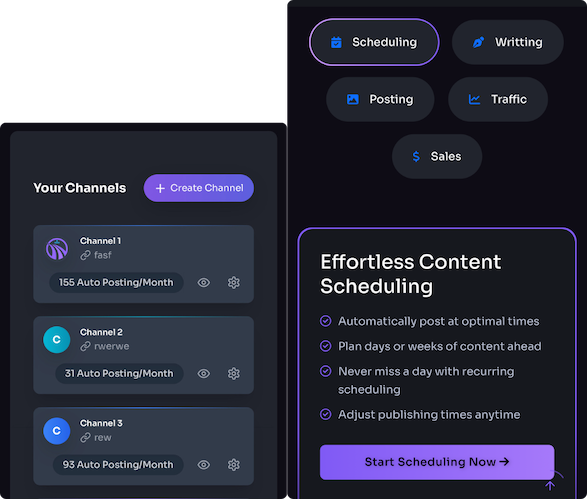
Once you’ve nailed the basics, manual posting starts to feel like mowing the lawn with scissors. That’s where automation steps in. Tools like Trafficontent (and similar content automation services) can take routine tasks off your plate — generating SEO-optimized drafts, creating images, scheduling posts, and even cross-posting to social channels. I haven’t nuked my keyboard entirely, but when I tested automated workflows, my publishing cadence doubled without sacrificing quality. Consider automation your growth lever: you don’t need it day one, but it’s a hell of a cheat code when you’re serious about scaling.
- Automate drafting and SEO optimization
- Auto-generate social images and schedule multi-channel distribution
- Free foundation plugins + selective automation = efficient growth
Start with the essentials — security, SEO, speed, engagement, and polish — and you’ll be amazed at what free tools can do. When the time comes, add automation to scale without losing your sanity (or your voice). And if you want a quick place to check site speed, brush up on SEO basics, or grab WordPress software, these resources helped me while I was figuring things out:
Powered by Trafficontent