
I used to treat seasonal content like a panic-buy at the grocery store — throw a bunch of stuff in the cart the week before the holiday and hope for the best. After turning that chaos into a repeatable WordPress content machine, I’ll show you how to plan, optimize, and promote seasonal pieces so they reliably bring traffic and conversions year after year. ⏱️ 6-min read
Anchor Seasonal Calendars and Content Themes
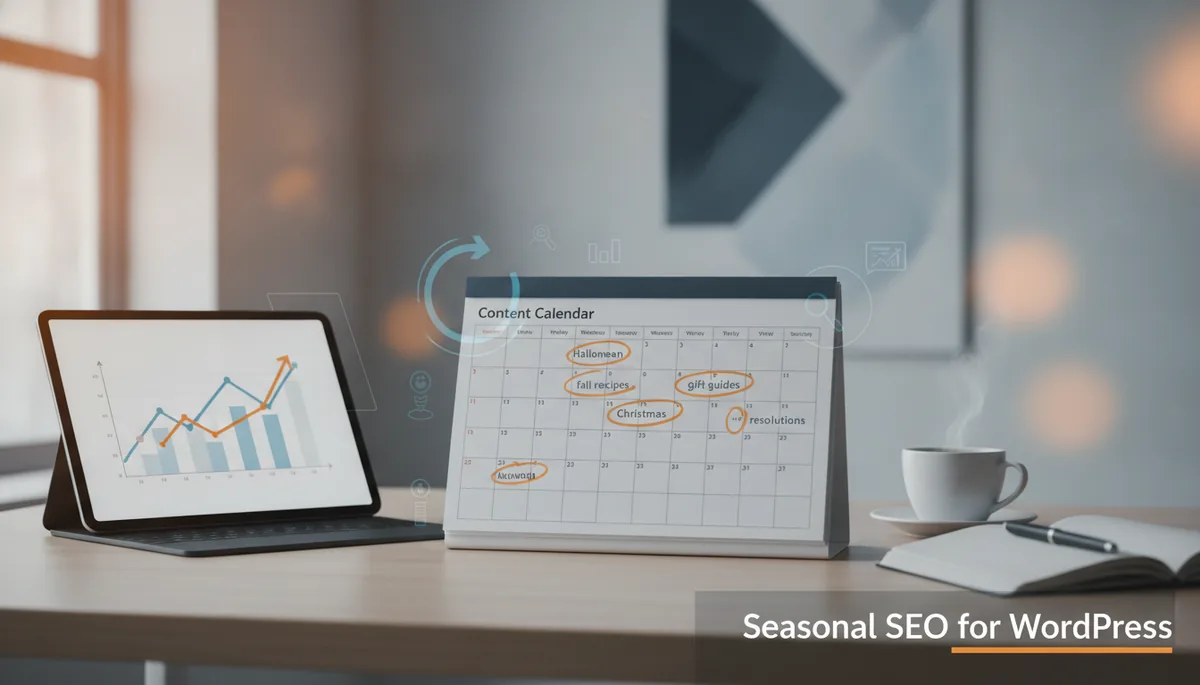
Start by building a seasonal calendar that maps holidays, industry events, and recurring trends to content themes and target keywords. I keep a single reusable calendar template in Google Sheets and sync it with my WordPress editorial calendar so nothing sneaks up on me like a surprise in-law visit.
- Map major dates (holidays, sales days, industry events) 6–12 months in advance.
- Assign themes (e.g., "gift guides," "holiday recipes," "summer maintenance") and one primary keyword per content slot.
- Link calendar entries to WordPress drafts, editorial notes, and required assets (images, schema snippets).
Pro tip: color-code by intent (buy, learn, compare) and attach quick briefs to each calendar row so your writer/editor knows whether to sell, teach, or entertain — because split-brain strategies rarely convert.
Funny comparison: think of your seasonal calendar as a wedding planner for your content — no awkward timing, fewer crying guests, and a much better ROI.
Seasonal Keyword Research and Clustering
Seasonal keywords spike, then evaporate — but you can catch those peaks with targeted research. Use Google Trends to spot rising queries, AnswerThePublic for question-style keywords, and Ahrefs/SEMRush for volume and difficulty. I usually start my research 8–12 weeks before the big date and build clusters that feed multiple posts.
- Find core seasonal head terms, then expand into long-tail, question, and local variants.
- Group keywords into topic clusters (pillar post + supporting pieces) around user intent: how-to, best-of, comparisons, and updates.
- Prioritize clusters that can be updated annually rather than single-use one-offs.
Practical step: create a "cluster sheet" with one pillar title, 4–6 supporting post ideas, target keywords, and publish dates — rinse and repeat for each season.
Sarcastic aside: it’s like herding cats — but at least the cats come back every year if you feed them useful content.
Seasonal Content Formats That Drive Traffic
Not all formats are created equal when search interest spikes. List posts, tutorials, seasonally focused roundups, and timely case studies tend to perform best. I build a pillar post for a season (e.g., "The Ultimate Holiday Gift Guide") and refresh it each year, then publish supporting listicles and how-tos that link back.
- Pillar posts: broad coverage, evergreen + seasonal updates.
- Roundups/lists: quick to produce and highly shareable (Pinterest gold).
- Tutorials/How-To: capture high-intent queries and enable HowTo schema.
- Case studies/roundups: prove results and support conversions.
Don’t forget schema: FAQ and HowTo schema increase SERP real estate and click-through rates. Refresh evergreen assets annually rather than starting from scratch — less sweat, more search love.
Funny line: creating a pillar post and yearly refresh is like planting an apple tree — a little work up front and you’ll get fruit every season, without having to talk to a farmer.
On-Page and Technical SEO Tweaks for Peak Seasons
Seasonal updates should be visible to both users and search engines. Update meta titles and descriptions with seasonal signals ("2026", "Holiday", "Black Friday") and add or refresh FAQ/HowTo schema. While you’re at it, check internal linking to your seasonal hubs so PageRank flows where it matters.
- Meta titles/descriptions: add seasonal modifier and a compelling CTA for higher CTR.
- Schema: implement FAQ and HowTo where applicable; validate with Google’s Rich Results Test.
- Performance: enable caching, use a CDN, and optimize lazy-loading for images to handle traffic spikes.
- Mobile: ensure above-the-fold content is concise and clickable — mobile searches spike during events.
Speed and markup matter more during peaks — if your page loads like a dial-up modem, the search engines will politely send users elsewhere.
Sarcastic line: if your site is slow on a holiday, it’s basically handing your customers to competitors on a silver platter — how generous.
Publishing Cadence and Automation
Timing is everything. Align your publishing schedule with search behavior and event lead times: gift guides need to be live early; how-tos can land closer to the event. I stagger posts over weeks so traffic builds instead of exploding and dying in a single manic week.
- Plan a staggered schedule: pillar → supporting posts → updates → last-minute roundups.
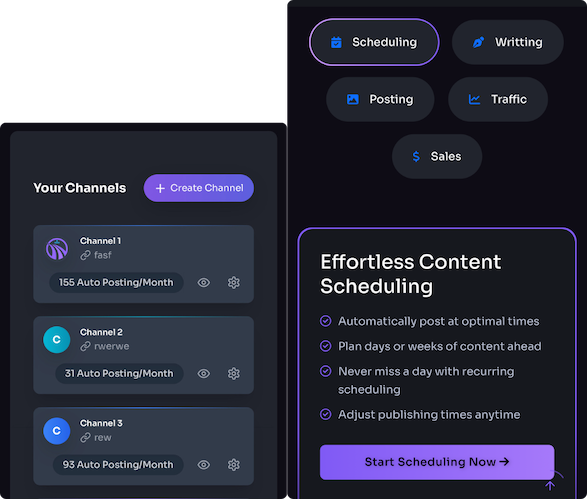
- Use automation to schedule and syndicate: WordPress scheduling, social cross-posting tools, and platforms like Trafficontent for generation and distribution.
- Schedule previews and promos across Pinterest, X, and LinkedIn timed to audience activity windows.
Automation isn’t lazy — it’s strategic. It frees you from hitting "publish" at 3 a.m. in a caffeine-fueled panic.
Funny comparison: think of automation like a good sous-chef — you still run the kitchen, but someone else keeps the pans from burning.
Promotion, Distribution, and Visuals
Great content needs great packaging. Create seasonally branded hero images, Pinterest-optimized pins, and social captions tailored to each platform. I repurpose posts into short email snippets, Twitter/X threads, and vertical clips to get extra mileage.
- Design: create a few on-brand seasonal templates for quick image production.
- Repurpose: newsletter blurbs, social carousels, and short videos extend reach.
- Platform captions: tweak copy for Pinterest, X, and LinkedIn rather than copy-pasting.
Visuals often drive the first click — don’t let a weak thumbnail be the reason your masterpiece goes unnoticed.
Sarcastic line: a bad image is like dressing for a Zoom call in pajama bottoms — you might get away with it, but don’t expect compliments.
Analytics, Testing, and Iteration
Measure season-specific performance and compare it to non-seasonal baselines. Track organic traffic, rankings for target seasonal keywords, engagement, and conversion rates. I run quick A/B tests on headlines, publish times, and hero images during the first cycle and keep what works for next year.
- Set up segmented reports for seasonal date ranges and compare YoY and vs. non-seasonal periods.
- Test headlines and images in small batches; prioritize winners for the main push.
- Document results in your calendar template so each year starts smarter than the last.
Iteration turns one-time luck into repeatable results — think of it as training your content to get stronger each season, not just show up looking pretty.
Funny line: testing without tracking is like throwing darts blindfolded and hoping for a bullseye — charmingly optimistic, but not a strategy.
References
For tools and schema guidance I use: Google Trends (https://trends.google.com/), Google Search Central on structured data (https://developers.google.com/search/docs/appearance/structured-data/intro), and practical seasonal SEO reads like Ahrefs' blog on seasonal content strategies (https://ahrefs.com/blog/seasonal-seo).
Powered by Trafficontent