
Ever feel like your WordPress blog is moving at the pace of a digital snail, while everyone else's seems to be a rocket ship? If you're a new blogger, a hobbyist, or a small business owner who's tired of their site performing like dial-up internet in a broadband world, you're in the right place. I’ve been there, staring at that frustrating loading spinner, wondering if my content would ever reach anyone before they clicked away in exasperation. But trust me, you don’t need to be a coding wizard to inject some serious speed into your site. We're going to transform your blog from a digital crawl to a lightning-fast content delivery machine, even if your coding skills are limited to "Ctrl+C, Ctrl+V." ⏱️ 8-min read
Your Hosting Isn't a Cheap Date: Invest in Speed
Let's face it, we all love a good deal, but when it comes to web hosting, "cheap" often translates directly to "slow." Your hosting is the absolute foundation of your blog's speed, like the engine of a car. Would you put a sputtering lawnmower engine in a Ferrari? I certainly wouldn't! Yet, so many new bloggers skimp on hosting, then wonder why their site runs like a three-legged racehorse. I learned this the hard way in my early blogging days, choosing the cheapest option only to discover my site crashed more often than a toddler in a china shop. A reliable host isn't just an expense; it's a critical investment. Opt for a reputable managed WordPress host, even if it costs a few extra pounds or dollars. They optimize their servers specifically for WordPress, offering better performance, security, and support. Think of it as moving from a crowded public bus to your own personal express train.
The Theme Park of Pain: Picking a Lean, Mean, Blogging Machine
Oh, the allure of a beautiful WordPress theme! They're like the shiny, new rides at an amusement park. But many of these gorgeous themes are actually bloated code-monsters, laden with features you'll never use, slowing your site down more than a sloth on sedatives. I once fell for a theme that promised the world and delivered... buffering. It was so heavy, it felt like it was trying to render an entire virtual reality experience just to show a blog post. Instead, look for lightweight, optimized themes designed for speed. They prioritize clean code and performance without sacrificing style. Themes like GeneratePress, Astra, or Kadence are fantastic examples. They’re like minimalist supercars – sleek, fast, and incredibly efficient. When choosing, always check theme reviews and, if possible, run a demo through a speed test tool before committing. Your visitors (and Google) will thank you.
Plugin Panic: Only Invite the Cool Kids to Your Blog Party
Plugins are the spice of WordPress life, aren't they? They add amazing functionality with a few clicks. But every plugin is like an extra guest at your blog party – some are fun and helpful, some just eat all the snacks, break your furniture, and mess up the place. I confess, I used to install plugins like I was collecting Pokémon, thinking "more features equals better blog." Wrong! Too many plugins, or poorly coded ones, can drag your site into the digital mud faster than you can say "server error."
Here’s the deal:
- **Essentials Only:** Focus on plugins that are absolutely critical for security, backup, SEO, and, crucially, caching.
- **Quality Over Quantity:** Stick to reputable plugins with good reviews and regular updates.
- **Audit Regularly:** Periodically review your installed plugins. If you haven't used one in months, deactivate and delete it. It's like decluttering your digital junk drawer.
Image Overload? Your Pictures Are Too Fat for the Internet!
I love high-quality images as much as the next person, but giant image files are, without a doubt, one of the biggest culprits for slow page loads. Uploading a 5MB photo straight from your DSLR to your blog is like trying to push a sumo wrestler through a keyhole – it's just not going to happen efficiently. Your pictures are probably too fat for the internet, bless their hearts.
The good news? This is an easy fix!
- **Resize Before Upload:** Don't rely solely on WordPress to resize. Use photo editing software (even free ones like GIMP or online tools) to resize your images to the maximum width they'll display on your blog *before* uploading.
- **Compress Ruthlessly (But Smartly):** Use image optimization plugins like Smush or EWWW Image Optimizer. These tools will automatically compress your images upon upload, often without any noticeable loss in visual quality. It's like magic, but for file sizes!
- **Choose the Right Format:** JPEGs for photos, PNGs for graphics with transparency, and consider WebP for even better compression and quality on modern browsers.
The Secret Sauce: Caching Like a Digital Hoarder
This is where things get really exciting, because caching is the digital equivalent of having an eidetic memory for your website. Basically, caching tells your website, "Hey, remember this? Don't rebuild it from scratch every single time someone visits!" Instead of generating a new page for every visitor, your caching plugin serves up a pre-built, static version. It’s like a digital hoarder, storing a copy of your page so it can be delivered instantly.
When I first implemented a caching solution, it felt like I'd just strapped a rocket engine to my blog overnight. The difference was palpable! There are fantastic, free caching plugins out there that can turn your slowpoke site into a speed demon. WP Super Cache, LiteSpeed Cache (if your host supports it), and WP Fastest Cache are all excellent choices. Install one, configure it, and watch your Core Web Vitals (a fancy term for how fast and smooth your site feels) soar. This one step alone can often provide the biggest immediate speed boost.
Content Creation: From Snail Mail to Speedy Blog Post Delivery
Writing amazing content is one thing; producing it efficiently and effectively is another beast entirely. I used to spend hours just on the post-writing checklist: optimizing for SEO, finding relevant images, and then manually pushing it out to social media. It felt like I was sending content via snail mail when everyone else was using instant messaging.
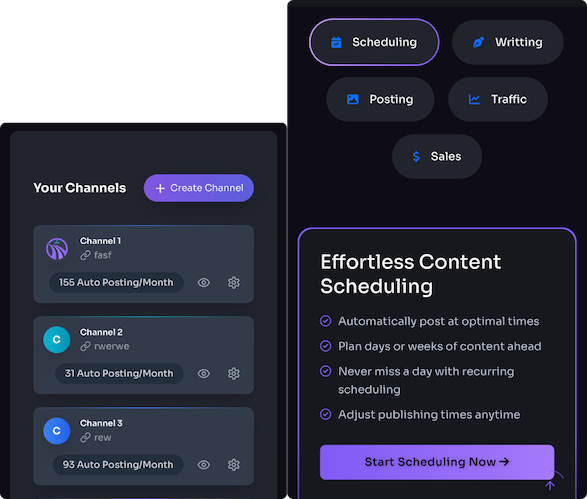
This is where smart tools come into play, transforming your content workflow from a grind to a glide. AI-powered platforms like Trafficontent, for instance, aren't just about generating text. They can automate crucial steps like:
- **SEO Optimization:** Suggesting keywords, optimizing headings, and ensuring your content is search-engine friendly from the get-go.
- **Image Generation:** Creating relevant, optimized images for your posts, saving you time rummaging through stock photo sites.
- **Social Distribution:** Streamlining the process of sharing your new posts across your social channels.
Database Diet: Keeping Your WordPress Engine Lean and Mean
Your WordPress database is where all your blog's information lives – posts, comments, settings, users, and even revisions of your posts. Over time, this database can get cluttered faster than a teenager's bedroom after a weekend gaming marathon. Every time you save a draft, WordPress creates a revision. These pile up, along with spam comments, unused tags, and transient options, making your database bloated and slowing down retrieval.
Keeping your database on a diet is crucial for a lean, mean WordPress engine.
- **Limit Post Revisions:** You can easily set WordPress to keep only a few revisions per post, rather than an endless history.
- **Clean Up Spam:** Regularly empty your spam comments folder.
- **Database Optimization Plugins:** Plugins like WP-Optimize or Advanced Database Cleaner can sweep through your database, removing old revisions, optimizing tables, and deleting unnecessary data with just a few clicks.
CDN: Your Content's Personal Fast-Lane Driver
If your readers are scattered across the globe, a Content Delivery Network (CDN) is like giving your content its own personal fast-lane driver, or even a private jet. Normally, when someone visits your site, their browser has to fetch data from your main hosting server, which might be thousands of miles away. If you're in London and your server is in New York, that's a long digital journey.
A CDN solves this by storing cached versions of your site's static content (images, CSS, JavaScript) on servers located all over the world. So, if a visitor from Tokyo accesses your site, the CDN delivers the content from the closest server in Asia, rather than dragging it all the way from your main server in New York. This dramatically reduces latency and speeds up content delivery to users worldwide, making their experience snappy no matter where they are. Cloudflare offers an excellent free CDN option, and there are many premium services too. Setting one up is usually straightforward, and the performance boost for international visitors is truly remarkable.
By implementing these strategies, you'll transform your WordPress blog from a hesitant crawl into a high-speed, traffic-attracting machine. You don't need to be a developer; just a little bit of knowledge and consistent effort will make all the difference. Get started today, and watch your blog fly!
Powered by Trafficontent